Transaction Logging
Log every purchase, income, and transfer with full metadata — category, merchant, payment method, location. Edit via a slide-out drawer. Filter and search your full history instantly.
Personal Finance, Reimagined
Flipper is a fast, multi-currency personal finance app with collaborative group wallets, AI-powered transaction capture via ChatGPT, and beautiful spending reports — all in one place.
See how it works ↓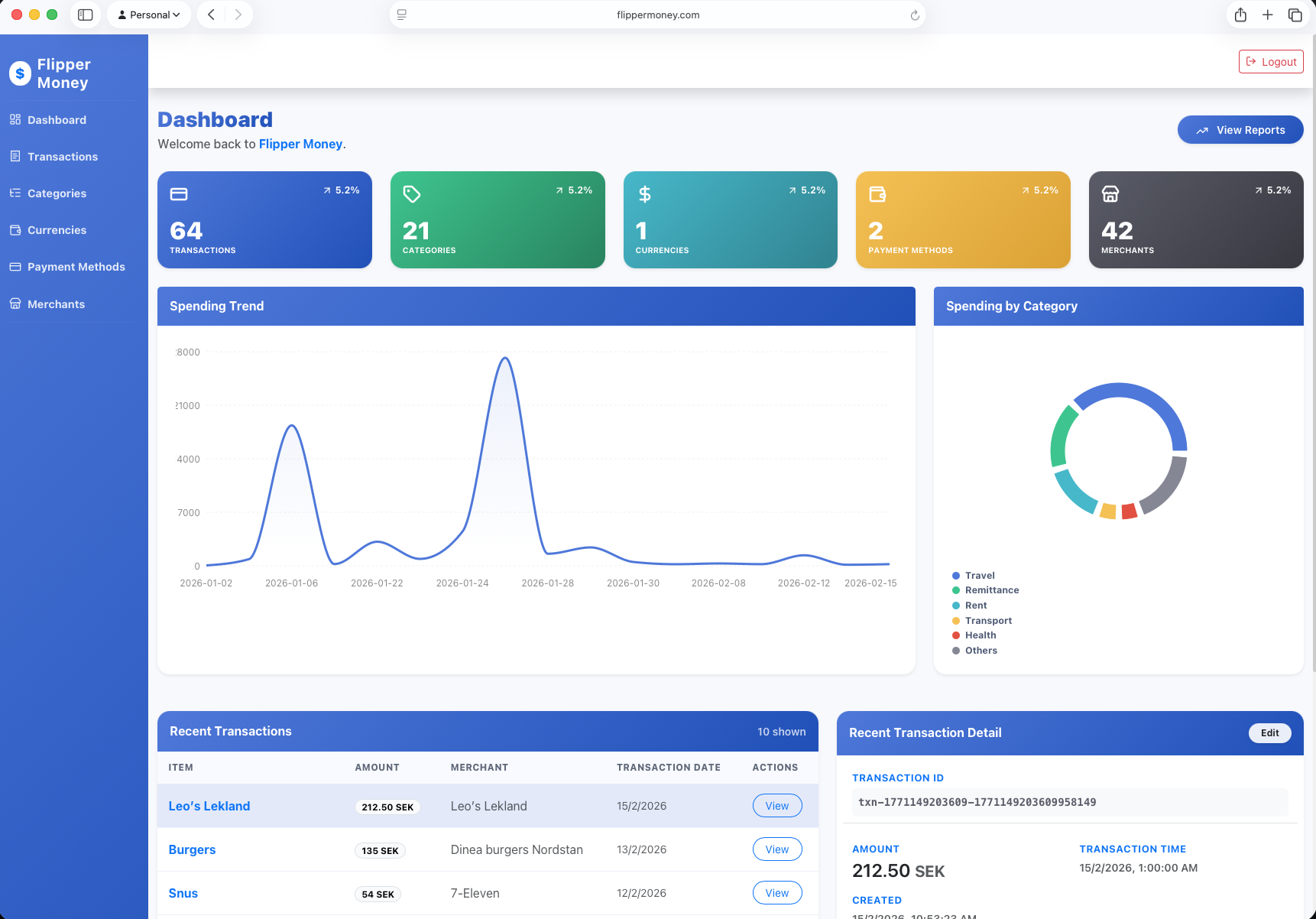
AI-powered
Flipper GPT is a custom ChatGPT action that connects directly to your account. Log, query, and import — all without opening the app.
Chat to log
“Coffee at Pret, £3.50” — logged instantly with category, merchant, and date filled in automatically.
Ask spending trends
“What was my top category last month?” or “How much did I spend on transport in Q1?” — get real answers from your actual data.
Apple Pay screenshots
Snap or share an Apple Pay or Google Pay notification. Flipper GPT reads the amount, merchant, and date — and logs the transaction for you.
Bank statement import
Paste or upload a PDF or CSV bank statement. Flipper GPT parses the rows and bulk-imports all transactions in one shot.
Bulk logging by chat
List multiple purchases in one message — Flipper GPT logs each one separately, correctly categorised, in a single reply.
Overall spending overview
Ask for a full summary of your spending this month, this quarter, or any custom period. Compare with previous months and spot where your money is going.
Get started in seconds
Everything you need
From logging a coffee by chat to importing a year of bank statements — Flipper covers every part of your financial life.
Log every purchase, income, and transfer with full metadata — category, merchant, payment method, location. Edit via a slide-out drawer. Filter and search your full history instantly.
Keep personal, business, and savings money in separate accounts. Multi-currency support across all accounts. Fund, transfer between them, and see real-time balances at a glance.
Beautiful month-by-month spending charts. See your total outgoings per month, compare periods side-by-side, and track how your spending evolves over the year at a glance.
Category-wise breakdowns show exactly where your money goes — Eating Out, Transport, Groceries, Bills. Spot trends over months and immediately see which categories are growing.
Chat to log transactions, ask spending questions, upload Apple Pay screenshots, or paste bank statements. Flipper GPT handles all of it directly inside ChatGPT.
Import transactions in bulk from CSV or JSON files. Works with most bank export formats. Flipper GPT can also parse PDF or CSV bank statements and log them in one go.
Fully responsive PWA — install it on your iPhone or Android home screen. The entire app — dashboard, transactions, charts, and groups — works beautifully on any screen size.
Pool finances with housemates, travel partners, or teams. Each group has its own accounts, transaction feed, and role permissions — completely separate from your personal finances.
Quick start
Sign up with your email address from the dashboard. Flipper is completely free for the first 1,000 users — no credit card needed, no trial period.
Open the Transactions page and hit + New. Fill in the amount, category, and account — or let Flipper GPT do it for you by describing your purchases in plain English on ChatGPT.
Head to Reports to see spending trends, category breakdowns, and account balances update in real time. Adjust date ranges, compare months, and spot patterns instantly.
Collaboration
Group Accounts let you pool finances with the people you live, work, or travel with. Each group gets its own set of accounts and a dedicated transaction feed — completely separate from your personal finances.
Holiday Fund 2025
4 members
Tom Victor
tom@example.com
Sarah A.
sarah@example.com
James B.
james@example.com
Kim L.
kim@example.com
Join free. No credit card required.